QR Codes: One Sticker. Any Destination. Change It Whenever You Want.
Here is a thing nobody tells you about QR codes.
The second you print one, you have created a liability.
Because the destination is baked into the pattern. That black and white square IS the link. So when the form changes, or the page gets archived, or somebody retires the checklist it pointed at, the sticker on the wall does not update. It just quietly stops working. And the cleaner standing in front of it at 5am does not ring you. They just skip it.
I have watched operators print 400 codes for a site induction, roll them out across 60 buildings, then change one form six weeks later and turn all 400 into decoration.
So we fixed the root cause. Eaco QR Codes went live on 11 September.
The whole idea in one sentence
The sticker never points at the form. It points at a slot. You decide what goes in the slot, and you can change your mind forever.
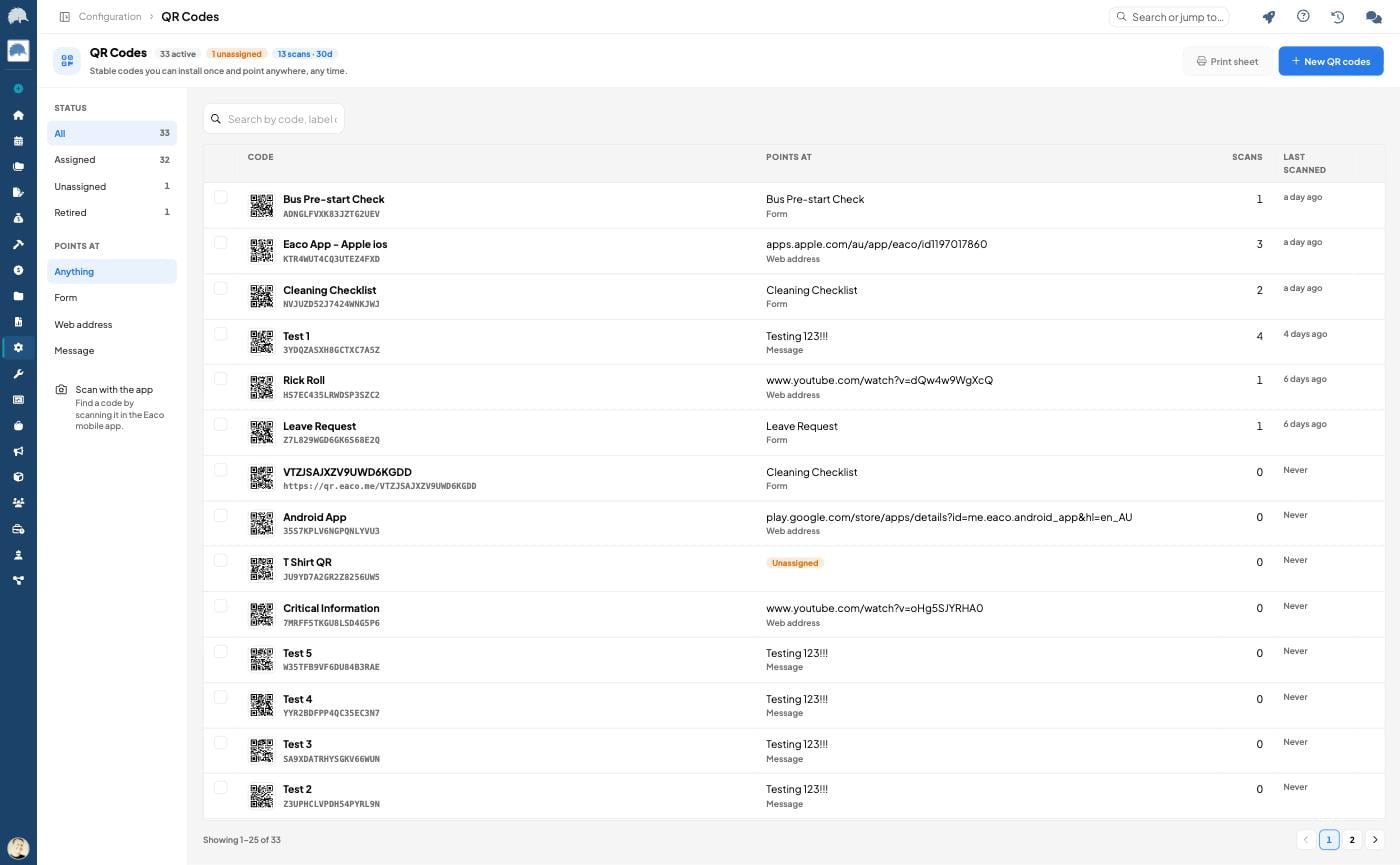
Every code lives in a registry inside your organisation. Print the sticker once. Stick it on a door, a fence, a pump, a counter. Then assign it. Then re-assign it next month if you want. Same sticker. New destination. Zero reprinting.
What a code can actually do
Four things, today.
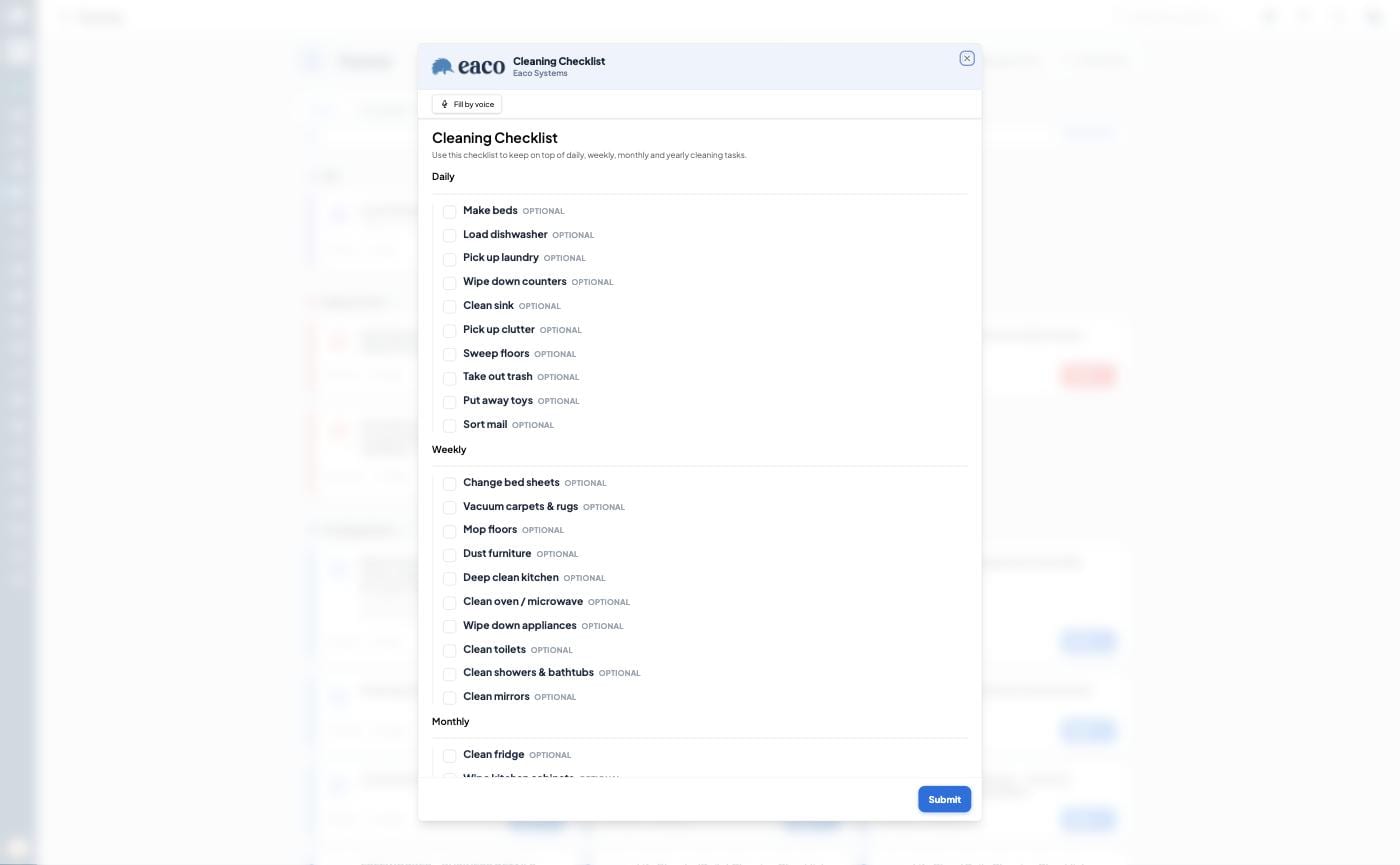
Open a form. Point it at any form you have. Someone scans, the form opens on their phone, the response lands in Eaco. Cleaning checklists. Site inductions. Hazard reports. Sign in sheets. Feedback.
Open a web address. A product page, a booking link, a training video. Whatever you want.
Show a message. No destination at all. Just text on the screen when someone scans. Contact details. Opening hours. "This area is closed."
Open an entity portal. Put a code on an asset or a property and the scan opens that thing's portal page. The person standing in front of it sees what belongs to that place.
And you can print a batch with nothing assigned at all. Install them first. Decide later. That alone changes how you roll out a site.
Codes know where they live
Link a code to an asset and to a managed property. If the asset already sits under a property, the property fills itself in. A code on "Pump 3" already knows it belongs to "Riverside Plant".
You can also drop a location on it. Take it from your phone's GPS, drop a pin on a map, or type coordinates.
That matters more than it sounds. Future forms will read that context, which means the form opened by a scan will know exactly where the scan happened. No more "which site was this again".
The part operators will actually care about
Every scan is recorded.
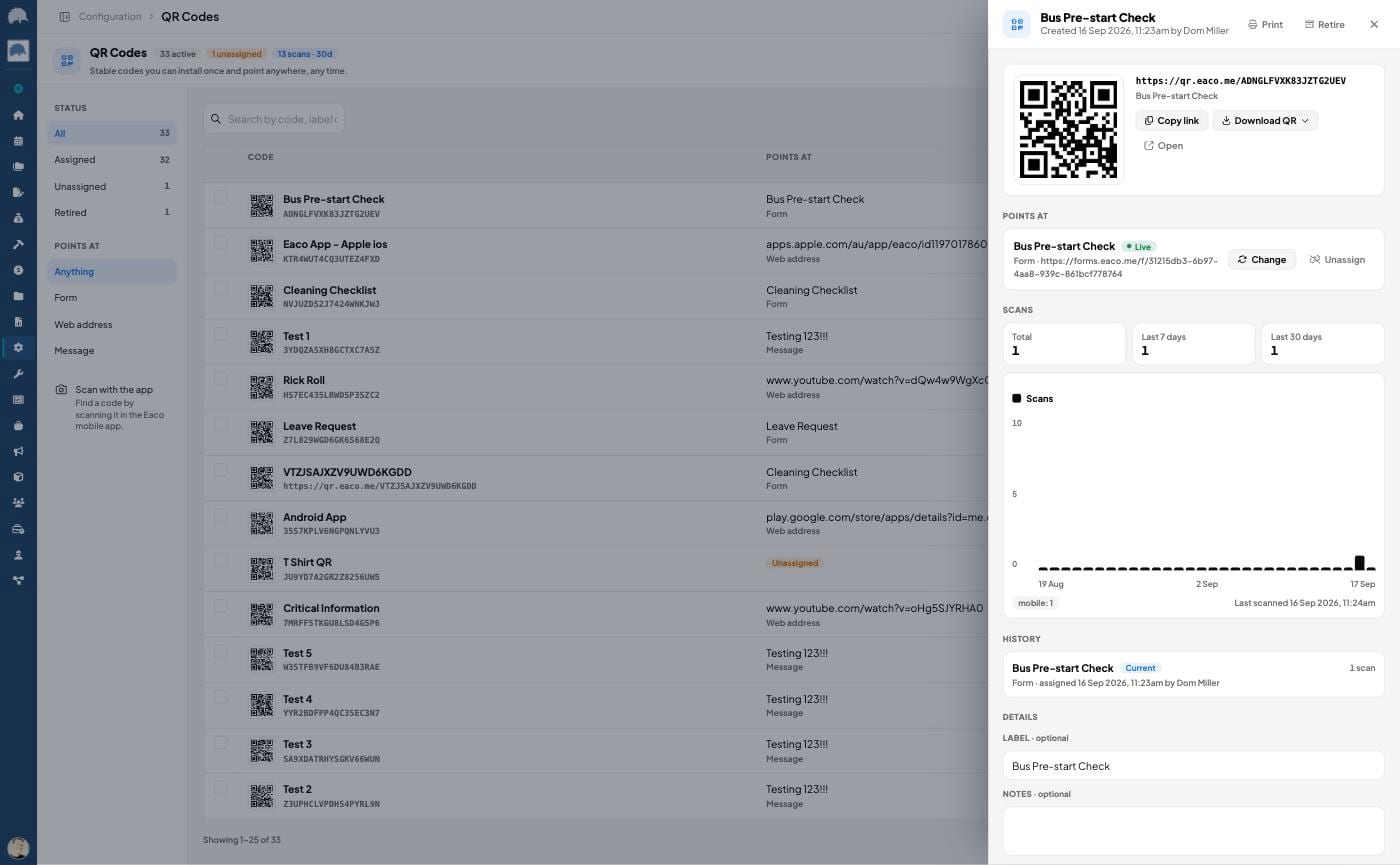
For each code you get total scans, last scanned, a day by day chart for the last 30 days, and what did the scanning: the Eaco app, a phone camera, or a desktop browser.
You also get scans per assignment. So when you re-point a code, you can compare the old destination against the new one. That is a real answer to a real question: did moving that sticker actually get used more.
And if a target cannot be reached, the code tells you why in plain English. The form is unpublished. The portal is turned off. The page is archived. No more guessing why a sticker "doesn't work".
Printing, because this is a physical product
Four styles. Standard, with the Eaco mark, with your company logo, or with an image of your own. Codes with an image use higher error correction so they still scan with the logo sitting in the middle.
The print sheet lays them out three across on A4, labelled with the name and token, ready for sticker paper. Pick your codes, pick your style, print from web or from the phone.
Two ways to scan
Any phone camera opens the destination. No app needed. That is the point.
But inside the Eaco app there is a second option. The Scan button on the QR Codes screen looks the code up in your registry and opens its details instead. Use it on site to check what a sticker is assigned to, see its history, or re-point it without leaving the spot.
Where to find it
Web: Configuration, then QR Codes. Mobile: tap your avatar on Home, then Configuration, then QR Codes. Access is permission controlled, so you choose who can create, assign and archive.
Do this today
Do not roll out 400 codes.
Pick the one thing people ask about most. The bin room. The plant room door. The front counter. Print one code, point it at a form, stick it up.
Then check the scan count in a week.
That number will tell you more about how your sites actually run than a month of reports will.
Want us to do it with you?
Book a demo. Bring one site and one form you are sick of chasing.
We will point a code at it while you watch, and you will leave knowing exactly what to print on Monday. Twenty minutes.
Worst case you lose twenty minutes. Best case you delete a job your team has been doing by hand for years.