2026 Sneak Peek: The Form Engine That Quietly Changes Everything
Most software treats forms like paperwork. Necessary. Boring. Bolted on.
We went the other way.
With Eaco’s new Forms Engine, forms aren’t an afterthought — they’re the backbone. The same engine now powers inspections, audits, job configuration, automations, reporting, certificates, dashboards, and soon… just about everything else.
This is one of those foundational upgrades that doesn’t scream for attention — but once it’s in place, the entire system starts moving faster, cleaner, and smarter.
Forms Built With… Forms (Yes, Really)
The first clue this was different came from a simple realisation:
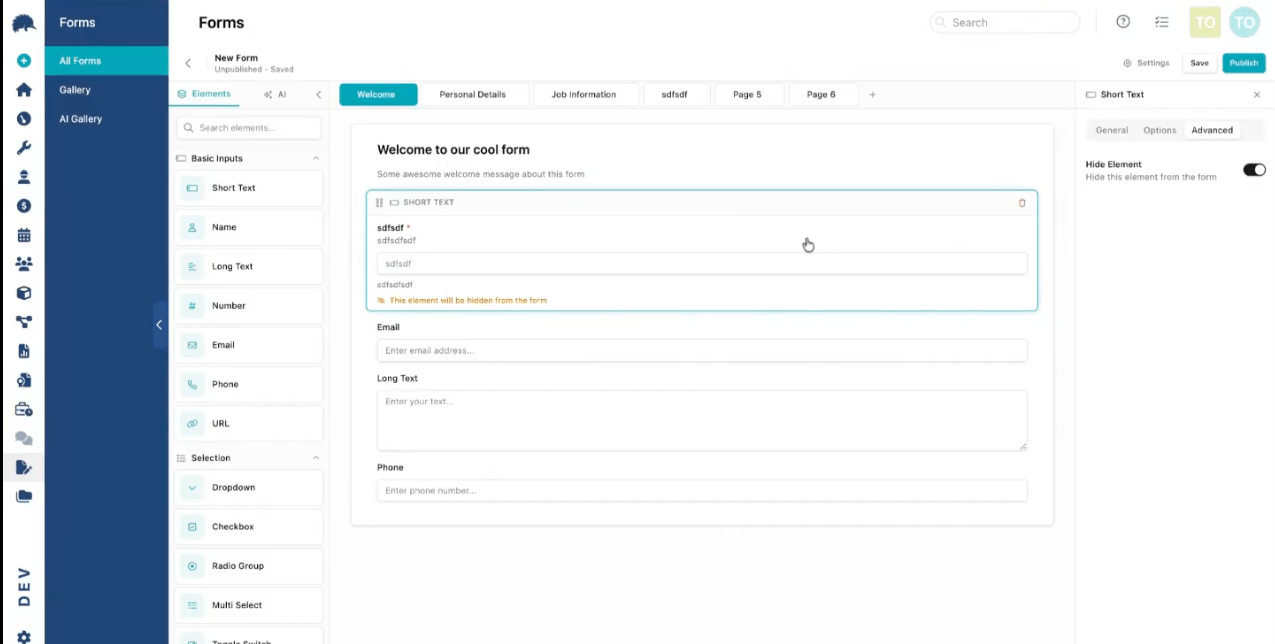
The form editor itself is a form ... built using the same engine.
That means one editor, one mental model, one set of improvements that instantly benefits everything. Add a new capability once and it flows through inspections, job templates, widgets, reports, automations, and internal configuration.
At the heart of it:
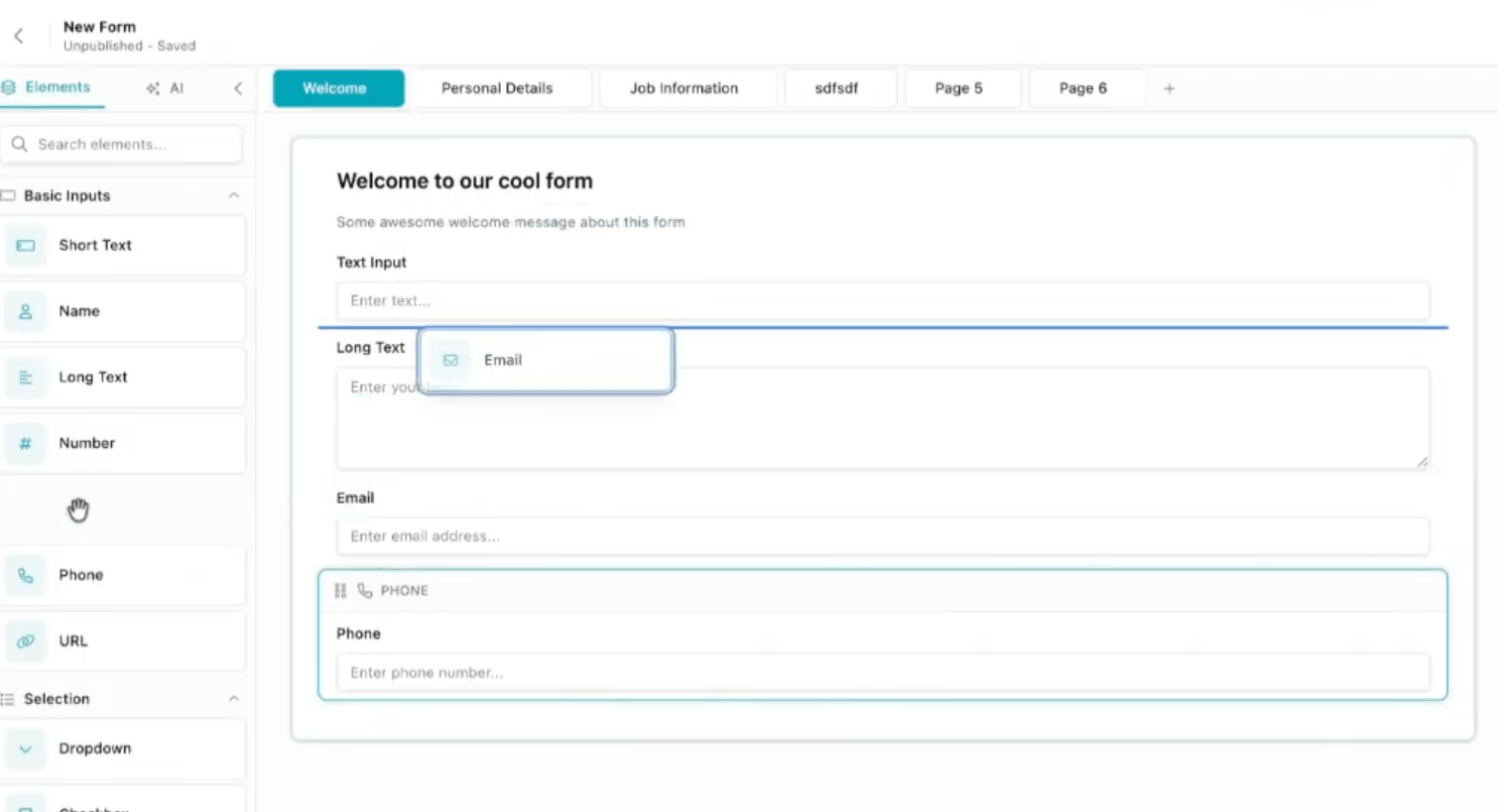
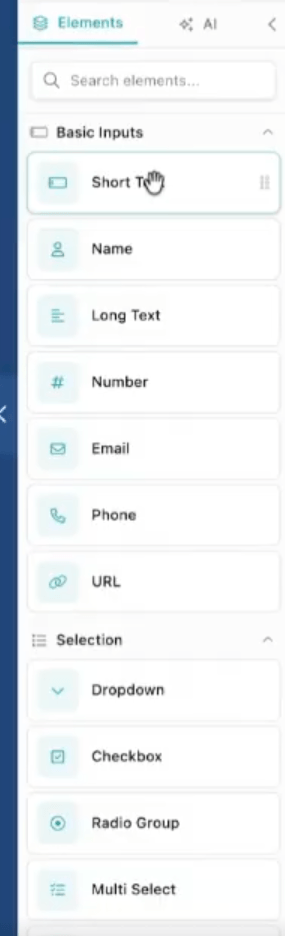
- A drag-and-drop element gallery
- A side panel for fine-grained control (required, hidden, default values)
- Repeatable sections — perfect for inspections, assets, rooms, checkpoints, you name it
If you’ve ever done a site inspection and thought, “Why am I filling this out like it’s 2009?” ... this is the antidote.
Conditional Logic That Thinks Like You Do
Here’s where things get properly grown-up.
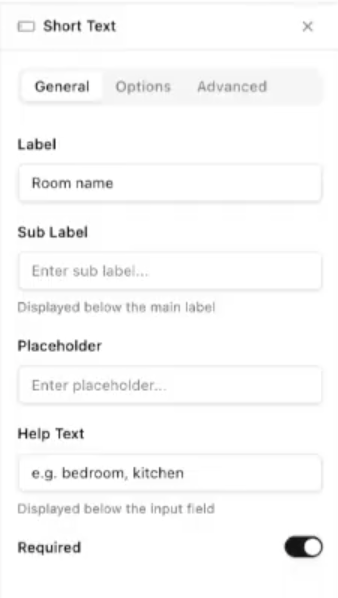
Instead of burying logic inside individual fields, conditional rules live in a dedicated settings panel. That means you can build real logic, not toy logic.
Multiple conditions. Boolean rules. Cross-field dependencies.
“If this answer is X and that score is below Y, show these sections, hide those, and trigger the next step.”
This is one of the final major components being completed, and it’s deliberate. When it lands, it turns static forms into responsive workflows.
No more asking questions you already know the answer to.
Drafts, Publishing, and No Fear of Breaking Things
Every form lives in two states:
- A live, published version
- A continuously auto-saved draft
Edit freely. Experiment. Improve. When you’re ready, publish and that version becomes the new source of truth.
You can also:
- Duplicate forms instantly
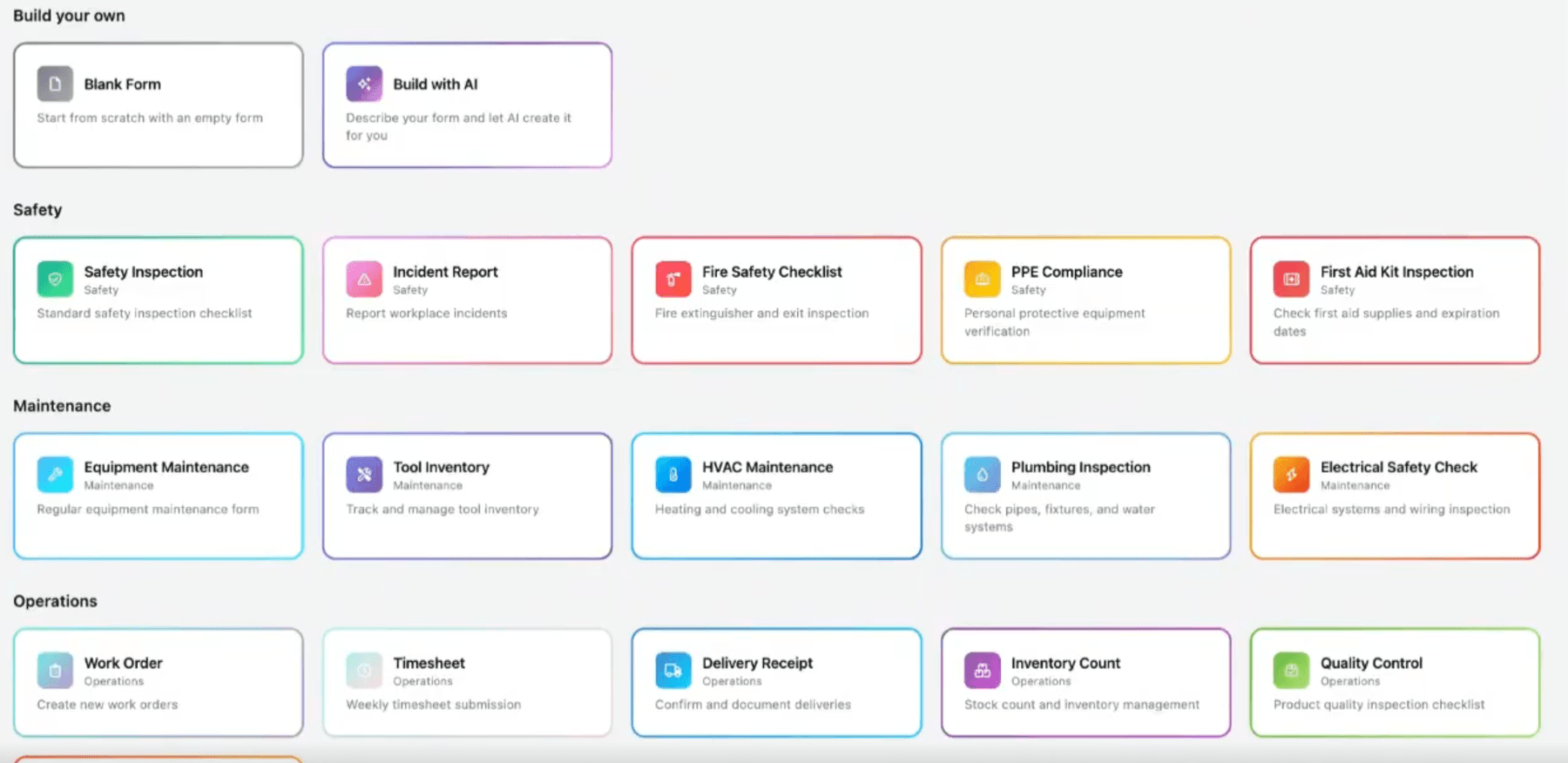
- Save them as reusable templates
- (Yes) eventually reuse system forms too
This is how operational knowledge compounds instead of getting lost in someone’s inbox or brain.
Outputs: Reports Without the Reporting Pain
Here’s the part people usually underestimate.
Forms don’t just collect data: they now produce outputs.
Using the same editor, you can build:
- Certificates
- Client-ready reports
- Daily, weekly, or monthly summaries
- Internal scorecards or compliance packs
Multiple outputs can exist for the same form. One inspection. Many audiences.
And because outputs support calculations, formatting, headings, and layout control, you decide exactly what goes in — and what stays out.
Manual reporting quietly exits stage left.
Results You Can Actually Use
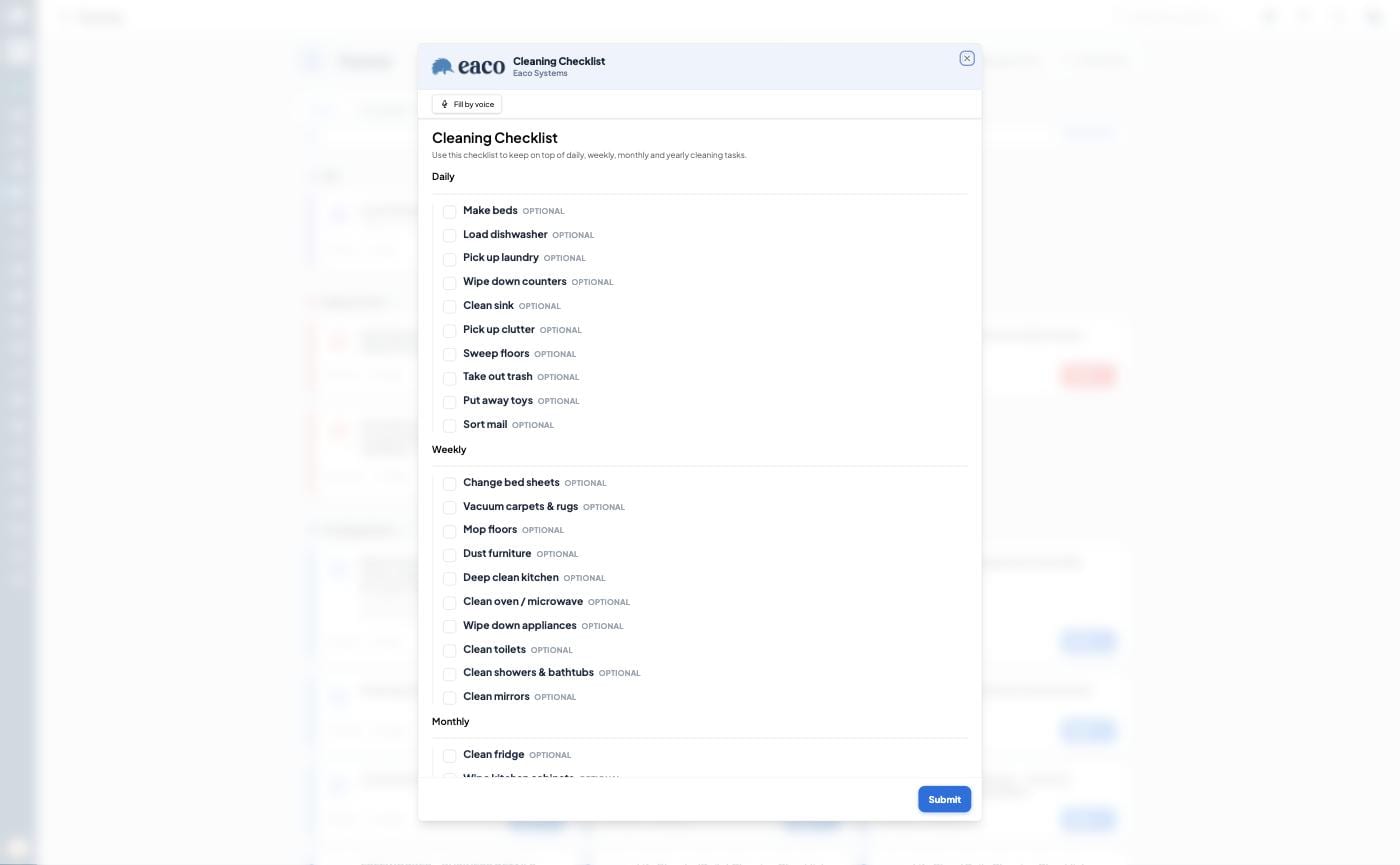
Click a form and you land straight in the results.
Clean tables. Fields as columns. Each submission as a row.
Conditional fields still appear (only populated when relevant). Repeatable sections are neatly handled so inspections don’t explode your screen real estate.
Next up: a dedicated Forms Dashboard — summary stats, recent submissions, who completed what and when. Less hunting. More knowing.
Design Control (With Grown-Up Restraint)
You’re not locked into a single “default output” because there isn’t one.
Each output is purpose-built.
Want bold headings for clients and compact tables for ops? Done.Want brand colours globally, but overridden for certificates? Easy.
There’s even a style layer for colour schemes and typography — and yes, we’re very comfortable making advanced customisation a higher-tier feature. Power where it matters, guardrails where it helps.
One Engine. Everywhere.
This is the quiet masterstroke.
The same Forms Engine now underpins:
- Inspections and audits
- Job configuration
- Widgets and dashboards
- Automations and triggers
- Backend system configuration
Build it once. Improve it once. Benefit everywhere.
That’s how complexity gets reduced without dumbing things down.
Who Sees What (Privacy: Without Making It Weird)
Not every form is for every user.
Some are day-to-day operational forms.Some are internal or administrative.Some power jobs behind the scenes and never need to be “filled out” manually.
We’re separating creation from completion cleanly — so frontline users see what they need, and operators retain control.
No clutter. No confusion.
From Job Data to PDFs: Automatically
Forms tied to jobs can now generate PDFs directly from job data.
Certificates. Reports. Compliance documents — all configured in the form’s “outputs” settings and surfaced right on the job.
Fill the form. Get the document. Move on.
As it should be.
The Big Picture
This isn’t about prettier forms.
It’s about a single, coherent engine that lets operational knowledge flow through the system — from input, to logic, to action, to output — without friction.
That’s how software stops feeling like software and starts feeling like leverage.
And honestly, this is one of those moments where future features just got easier to build.
Strong foundations do that.
A simple test:If your forms don’t trigger action, produce outcomes, and eliminate work: they’re not forms. They’re friction.
For Forms & Reports that will impress you, your staff and your clients, request your Demo with Eaco today: https://www.eaco.me/requestademo